
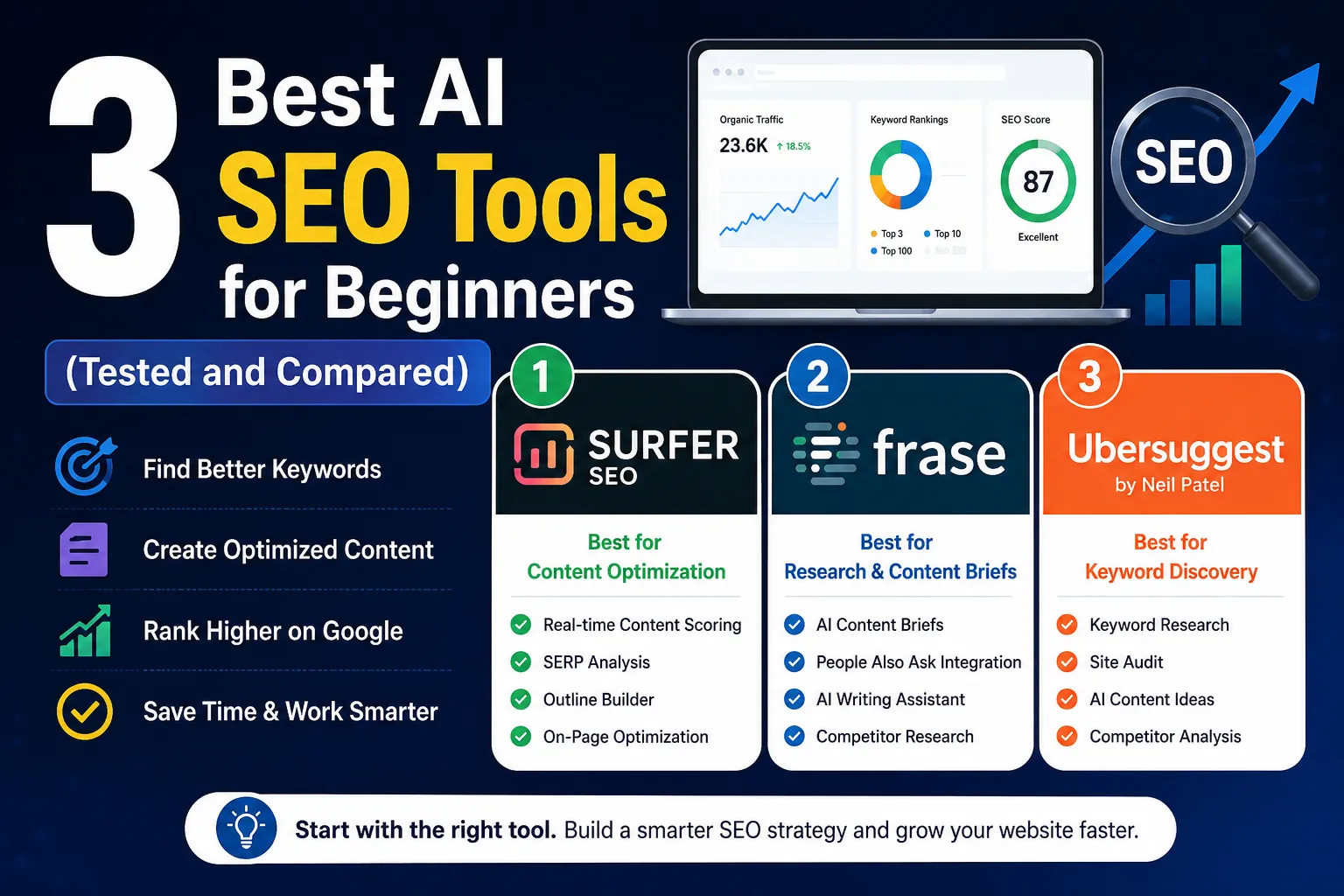
3 Best AI SEO Tools for Beginners (Tested and Compared)
Most beginner SEO guides tell you to “pick the right keywords” and “write quality content.” That advice is not wrong. It just skips the part where you figure out what quality actually looks like for a specific keyword on a specific site.
After comparing several options available to beginners today, three tools stood out for different reasons: Surfer SEO, Frase, and Ubersuggest. Each one solves a distinct problem. Here is an honest look at what each does, what it costs, and who it genuinely makes sense for.
Which AI SEO Tool Is Best for Beginners?
For most beginners, Ubersuggest is the right starting point. It covers keyword research, basic site auditing, and content ideas in one place, with a free tier that costs nothing to try. Once you understand how keyword targeting works, Frase helps you plan and structure content more thoroughly. Surfer SEO makes the most sense when you are publishing consistently and want real-time on-page guidance. In short: start with Ubersuggest, add Frase next, and bring in Surfer SEO when your publishing volume justifies the cost.
If you’re just starting a blog and still figuring out monetization, this guide connects directly with the practical side of SEO setup:
How to start a blog and earn from AdSense in 2026-2027
Once you understand how keyword targeting works, Frase helps you plan and structure content more thoroughly. Surfer SEO makes the most sense when you are publishing consistently and want real-time on-page guidance.
Quick Comparison (See the Full Breakdown Below)
| Feature | Surfer SEO | Frase | Ubersuggest |
|---|---|---|---|
| Keyword Research | No | No | Yes |
| Content Briefs | Partial | Yes | No |
| On-Page Scoring | Yes | Yes | No |
| Site Audit | No | No | Yes |
| AI Writing Help | Partial | Yes | No |
| Starting Price | Higher range | Mid range | Lower range |
| Free Option | No | 7-day free trial | Yes |
| Best For | Content optimization | Research and briefs | Keyword discovery |
Note: Pricing details are accurate at the time of writing but may be subject to change. Always check each tool’s official website for the most current plans.
Surfer SEO: On-Page Optimization Made Visual
Surfer SEO is built around one core idea. It studies the top-ranking pages for your target keyword and tells you what they share in common. Word count, heading structure, semantic terms (words topically related to your main keyword), NLP phrases (Natural Language Processing phrases words Google expects to see in a genuinely useful article), and more. All of it appears inside a content editor that scores your writing in real time as you type.
I found this tool while working on a travel blog that was pulling zero organic visits. My articles were long and carefully written. That wasn’t the problem. The real issue was that I was missing entire subtopics that every competing page covered.
For one article on budget travel in Southeast Asia, Surfer showed that I had no section on local SIM cards, no mention of visa-on-arrival rules, and nothing about shared transport apps. All three appeared on every top-ranking page. After expanding the article to cover those missing areas, rankings improved noticeably over the following weeks. That result was specific to a low-competition keyword on a newer site. Outcomes vary depending on your niche, domain history, and backlinks.
The SERP Analyzer is worth learning early. It shows what the top ten results have in common: competitor word counts, backlink data, and content structure, giving you a realistic read on what it takes to compete before you invest hours writing.
What works well:
- Real-time content scoring while you write
- Outline builder that surfaces missing subtopics
- SERP analysis showing competitor data at a glance
What could be better:
- The dashboard feels cluttered when you first log in
- Pricing is on the higher side; the full Content Editor plan runs between $79 and $99 per month, depending on billing cycle. Check the official site for current plans
Pro Tip: Before you start writing, use the SERP Analyzer to check if the top-ranking pages all have thousands of backlinks. If they do, no amount of on-page optimization will help a brand-new site compete for that keyword. Move to a less competitive variation first.
Best for: Writers who understand basic SEO concepts and want data-backed guidance on what to include before they publish.
Frase: Do the Research Before You Write a Single Word
Most beginners skip the research phase entirely. I was one of them for a long time. I would pick a keyword, open a blank document, and start writing whatever came to mind. Frase taught me that the most important thirty minutes happen before you type anything.
When you enter a keyword, Frase builds a content brief automatically. It pulls headings, common questions, related subtopics, and short summaries from the top-ranking pages. Within a few minutes, you have a clear map of what Google already considers a thorough answer to that search query.
From my experience, the biggest value is not the AI writing assistant. It is the People Also Ask integration. Frase pulls real PAA questions (the dropdown questions Google shows under search results) for your keyword and organizes them by how often they appear. Featured snippet placements and PAA boxes are often more accessible for newer sites than trying to reach position one through sheer competition.
One thing that became obvious after using Frase consistently: the briefs kept revealing angles I would have missed on my own. While building a content plan for a nutrition site, I looked up “meal prep for beginners.” My original outline had six sections. The Frase brief showed eleven distinct subtopics appearing across the top results, and three of them carried their own PAA questions. That extra layer of research shaped a noticeably stronger article.
What works well:
- Fast, detailed briefs built from real competitor content
- PAA question integration for snippet targetingAn
- AI writing assistant that helps you get past a blank page
What could be better:
- AI-generated paragraphs need significant rewriting before publishing
- Briefs on very simple keywords sometimes feel repetitive
Pro Tip: Do not use Frase to write your article. Use it to build your outline and identify the questions your audience is actually asking. Write the content yourself. That combination produces far more natural, readable output than anything the AI drafts alone.
Pricing: The Starter plan runs around $49 per month, or roughly $39 per month on an annual plan. Frase now offers a 7-day free trial with no credit card required worth taking just to run two or three briefs and judge the quality before committing. Always verify current rates on their official website.
If you are trying to build a structured SEO content system (not just random articles), this connects directly with broader SEO strategy building:
Complete SEO guide for beginners 2026-2027
The biggest value is “People Also Ask” integration, which reveals real user intent.

Ubersuggest: The Right Starting Point for Beginners
Surfer and Frase both assume you already have a keyword picked out. Ubersuggest helps you find one.
Built by Neil Patel, the tool covers keyword research, competitor analysis, content ideas, and site auditing in one dashboard. The interface is simple by design. You type a keyword, and it returns search volume, keyword difficulty (how hard it is to rank for that term), CPC data (cost per click, what advertisers pay for that keyword, which signals commercial intent), and related keyword suggestions.
What surprised me most when I first started using it was the Keyword Difficulty score. It runs from zero to one hundred. Green means low competition. Red means you are unlikely to rank without a strong existing domain. Early on, I kept chasing keywords with a difficulty above 65. Those pages went nowhere. After shifting focus to keywords under 30, I started seeing pages move into the top twenty within a reasonable window.
The AI content ideas section is newer and quietly useful. It suggests specific article angles based on your keyword, pulling from topics currently generating traffic. While working on a productivity site, it surfaced “time blocking for people with ADHD” as a low-difficulty keyword with growing interest. That article performed well relative to other pages on the same site. Whether your results look similar will depend on your niche and how well the content is written.
The site audit tool is what most beginners overlook. They should not. I ran one on a client website and turned up 34 pages with missing title tags and 19 with duplicate meta descriptions. That kind of technical debt (behind-the-scenes website errors that quietly suppress rankings) was dragging down multiple pages simultaneously. Ubersuggest ranked every issue by priority, so the most damaging fixes came first.
What works well:
- Color-coded keyword difficulty that beginners can act on immediately
- Site audit that surfaces technical SEO errors in plain language
- AI content ideas for finding specific, lower-competition topics
- Free tier for casual use
What could be better:
- Data depth is thinner compared to higher-priced tools like Ahrefs or Semrush
- The free version hits its daily search limit quite quickly
Pro Tip: Do not only look at search volume when picking keywords. A keyword with 200 monthly searches and a difficulty of 18 will move faster for a new site than one with 5,000 searches and a difficulty of 72. Focus on the SD score first. For brand-new sites, target keywords with an SD below 25, even if the volume feels modest.
Pricing: Free tier available. Paid plans are among the more affordable options in this category. A lifetime deal option sometimes appears as a one-time payment. Visit the official site for current pricing before committing.
The Workflow That Actually Made Sense
After testing different combinations over several months, I settled into a three-step sequence.
Start in Ubersuggest. Find a keyword with low difficulty and realistic search volume for your site’s current authority. Move into Frase to build the content brief, understand what a complete answer looks like, and identify the questions people are actually asking around that topic. Write the full draft. Then bring it into Surfer SEO for on-page scoring, checking for missing terms or subtopics before you publish.
That sequence covers the three gaps most beginners hit: not knowing what to write about, not knowing how to structure it, and not knowing whether it is actually ready to compete.
When These Tools Are Not the Right Fit
This is something most reviews skip entirely, so worth saying directly.
If you are running a hobby blog with no plans to monetize, the combined cost of these tools is hard to justify. If your site has fewer than five published articles, keyword research tools will not fix the gap; you need more content first. If your budget is very tight and you are choosing between these tools and time to actually write, spend the money on time.
Tools sharpen a process that already exists. They do not create one from scratch.
A Note on Expectations
SEO results for a new site typically take several months before organic traffic becomes visible. That timeline depends on niche competition, domain history, and how consistently you publish. No tool shortens that timeline significantly. What these tools do is reduce wasted effort, so the months you spend actually move you somewhere.
Start with one tool. I used Ubersuggest alone for the first two months, and that was the right call. Adding complexity before you understand the basics is a reliable way to stay confused.
Final Thoughts
Picking the right tool matters less than people think. What matters more is actually using one consistently enough to learn something from it.
Ubersuggest is where most beginners should start. It is affordable, readable, and covers the fundamentals without overwhelming you on day one. Once keyword research starts making sense, Frase helps you go deeper into content planning. Surfer SEO earns its place when you are publishing enough that on-page guidance actually speeds things up.
None of these tools is magic. SEO is slow work regardless of what software you use. But the difference between publishing blindly and publishing with a clear picture of what you are trying to compete with that gap is real. These tools close it.
Pick one. Learn it properly. Add the next one when you genuinely need it.

Frequently Asked Questions (FAQs)
Q1. Is Surfer SEO worth the cost for a brand-new blog?
It depends on how frequently you publish. If you are writing two or more articles per week and want structured guidance on each one, the investment makes sense over time. For someone publishing once or twice a month, the cost is harder to justify at the early stage.
Q2. Can Frase replace a human content strategist?
Not fully. It organizes research quickly and surfaces competitor data well. But deciding which topics align with your actual audience, what tone fits your brand, and how individual pieces connect across a broader content plan still requires human judgment. Think of it as a research tool, not a strategy replacement.
Q3. Does Ubersuggest work for local SEO?
Yes, within limits. You can filter keyword data by country and find location-based search volume. It covers the basics for small businesses targeting city-level terms. For granular local SEO work, tools built specifically for that purpose go deeper.
Q4. Which tool makes the most sense on a tight budget?
Start with Ubersuggest’s free tier. It handles early keyword research and basic site auditing without any cost. Once your site gains traction, the Frase starter plan is a practical next step for content planning.
Q5. Do any of these tools help with technical SEO?
Ubersuggest handles surface-level technical auditing well — broken links, slow load times, missing metadata, and duplicate content. Surfer and Frase focus almost entirely on content quality. For deeper technical work like crawl analysis or structured data issues, a dedicated tool like Screaming Frog covers that ground more thoroughly.
Q6. Are free SEO tools enough for beginners?
For the very first stage, yes. The Ubersuggest free tier gives you keyword data, basic competitor insights, and a site audit at no cost. Google Search Console is also free and shows which queries your site is already appearing for. These two free options together are enough to build a foundation and understand what SEO data looks like in practice. Paid tools become worth considering once you are publishing regularly and want deeper guidance on content structure and on-page optimization.
 Abdullah Waheed